
Scr2ppm takes screenshots of your whole screen, a single window, or an area you select with the mouse.
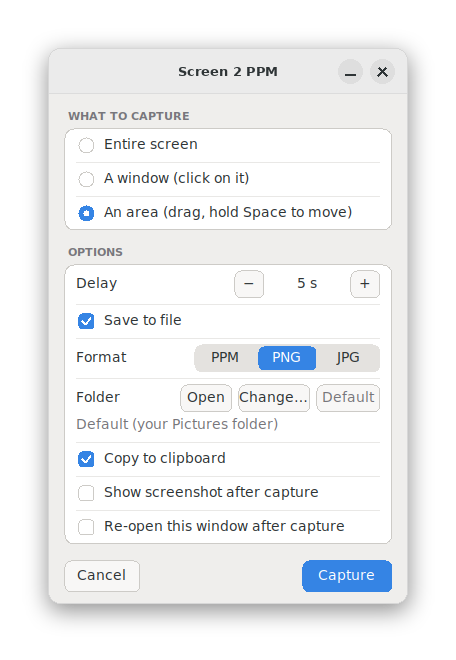
Start the app to get a small options window where you can choose:
- what to capture: the entire screen, a window, or an area
- an optional delay before the capture
- the image format: PPM, PNG or JPG
- whether the window should come back after each capture, which is handy for taking several screenshots in a row
Your choices are remembered the next time you open the app. Screenshots are saved in your Pictures folder, and "Capture & Open" shows the result right away.
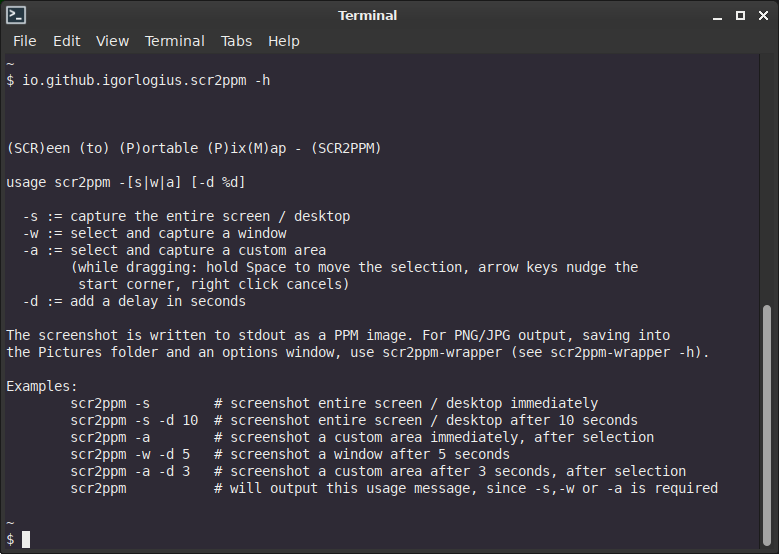
While you drag out an area, hold the space bar to move the whole selection, and release it to continue resizing. The arrow keys nudge the starting corner, and a right click cancels.
Need time to set things up first? Add a delay and a colored border around the capture area drains from red to blue, so you can see how much time is left.
Works on X11 desktops.
Screenshots
Observed history
| App | Change | Version | When ↓ |
|---|---|---|---|
| updated | 2.0.0 → 2.1.0 | 15 Oct 2026 | |
| updated | 2.0.0 | 14 Oct 2026 |
Upstream releases
Release notes supplied by the developer. These dates are not Flathub package publication times.
2.1.010 Oct 2026
Copy to clipboard option added
2.0.010 Oct 2026
Area selection now uses slop, which gives a clearer and more reliable selection rectangle
1.0.34 Nov 2021
Initial Flatpak release